DIY: You Don’t Need Substack
A lot of writers have great Substack newsletters that offer up helpful information, entertain, or address important issues. But let's address the elephant in the room: Substack has a documented Nazi problem.
That Atlantic article was from 2023. Fast forward to last week when The Guardian released their exposé on Substack's questionable tactics.
Substack is a platform for anyone to start up a newsletter, podcast, or communicate with their readers via video. Apparently, along with helpful creators, they also allow for hateful ones. They not only allow these sensational subscriber-based newsletters to post on their site, but they actively ignore requests/demands/letter campaigns/boycotts to uh… please don’t do that. To be fair, they did remove five Nazi newsletters back a few years ago, but didn’t change their stance. Substack claims a "hands-off" approach, yet they've been known to remove sex worker content. So, they do moderate content, just selectively.
Sure, we live in the land of free speech, but it gets a little complicated when the platform itself is profiting off these hateful sites and worse, promoting them via an algorithm to readers. Substack's take is approximately 10% of paid subscription revenue plus Stripe payment processing fees (around 2.9% + $0.30 per transaction) and a billing fee of 0.7% for recurring payments. That means Substack pockets roughly 13% of everything you earn, forever. That, plus the questionable associations were a dealbreaker for me.
But what are creators supposed to do? Write a blog on a piece of paper and lob it into crowds like some Molotov cocktail? When I was starting Writing and Whatnot, I had to ask myself these questions. Many of my peers have Substack newsletters, but I wanted to see what else was out there. Turns out, there are plenty of other sites that do the same thing as Substack but take less of your money. And some take none of it at all!
If You Build It, They Will Come
I started Writing and Whatnot because I was hoping to share my entertainment industry knowledge with others, but it was also kind of a selfish endeavor. You see, I'm curious about everything and love to learn. Starting a blog is a great excuse for me to research all these newfangled apps and software “you kids” use. It really gives me a chance to dig in on some new discernable skills in social media, marketing, web design, newsletters, graphic design, and so much more.
I can't afford (nor do I yet need) a fancy team supporting me in all the above. I'm doing this all by myself. But that’s ok. I'm a process nerd. I love seeing how the sausage is made. I blame Mr. Rogers for showing me how crayons were made. From there I was addicted to shows like "How It's Made" and this serene (now defunct?) YouTube creator Liziqi. I know there must be others out there just as interested in this stuff as I am.
That’s when I realized this blog IS my own version of a DIY tutorial. How I create all this stuff to inform you about… how to create… stuff is probably fascinating to someone else out there.
In order to figure all this out, I sought out content creators on Instagram, YouTube, and other blogs. Many offer their own tutorials, videos, and step-by-step guides that have been a tremendous help as I sally forth.
None of these ladies know me from Adam, but I’m all about supporting women. Here’s a few of the YouTube creators I’ve been learning from:
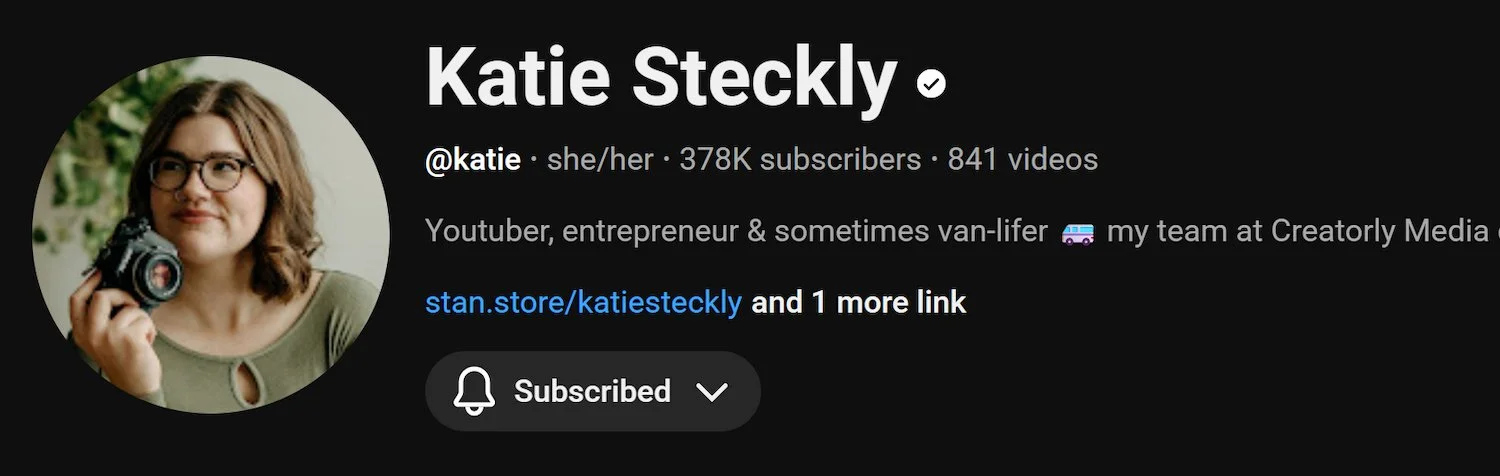
Katie Steckly offers great insight into content creation and gear.
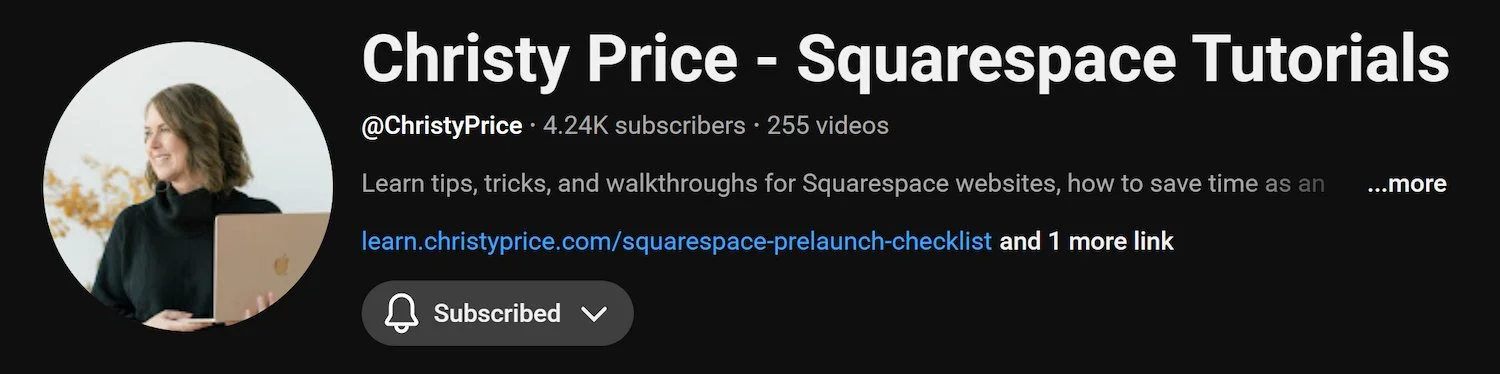
Christy Price posts amazingly helpful Squarespace tutorials.
Yale Jeannette has videos about digital products (look for mine coming soon!)
Domains Are Forever
I’ve never loved renting an apartment, leasing a car, or basically owing anyone money. It’s just my thing. I’ve been fortunate enough to save every penny so I can own my condo, my car (ok, so it’s a 2015), and now my digital real estate with a website (on Squarespace).
When you publish on Substack, your URL is yourname.substack.com. Not only do your readers associate you with Substack, your email list lives on their servers. If Substack changes their terms, raises their fees to 20%, gets acquired, or shuts down entirely (remember Vine? MySpace? Google Reader? Tumblr's NSFW ban that decimated their user base?) you're scrambling to rebuild.
I’ll own the writingandwhatnot.com domain forever (as long as I renew it, obviously). If Squarespace ever becomes problematic, I can export my entire site, take my domain elsewhere, keep my email list, and my URLs stay the same. In other words, wherever I go, I’m taking you with me!
In a world where Nazis are promoted and profited from, sites disappear overnight, and others come and go, it's nice to hold on to something I own and can update at my own time and pace. I enjoy knowing I have an internet calling card, so to speak.
My Creative Workflow
In the hopes it helps encourage you to DIY, here's exactly how I built Writing and Whatnot, what each tool costs, and why I chose it:
Squarespace
This is the home base for my website, blog, portfolio, resources all in one place.
Shawna and I started The Benson Sisters website back in 2016 when we realized it might be a good way for people to find out about our work, how to contact our agents, and just own our own name. (I find the new Emma Stone Super Bowl Squarespace ad hilariously relevant to my interests.)

When I first built W&W back in November, I piggybacked off the old Benson Sisters site thinking it would be easier… boy howdy was I wrong. It's much easier to start a new website (which I did in December) and make a fresh start. You see, I discovered the internet is a system of mysterious and ever-changing algorithms that we have little to no control over, and the internet overlords decide who gets to see your stuff and who doesn't. Your SEO (Search Engine Optimization) matters, and I'm still learning all about it.
Squarespace has templates you can use, but if you're an overthinking perfectionist like me, you'll end up changing it all and making it your own in no time. After a few tutorials, I found myself adding blocks, hex codes (colors), and updating the site to appease any search engine overlord out there.
What you get with a Squarespace Core plan:
Unlimited contributors
5 hours of video storage (Who wants to see some of my old home movies?!)
Custom CSS/JavaScript
Zero transaction fees on physical products
5% fee on digital content/memberships
Integrations with third-party apps.
Free domain for the first year.
Google Workspace (email address using my domain julie@writingandwhatnot.com)
The damage: $23/month if you pay annually ($276/year). Domain renewal after the free first year runs about $20/year.
MailerLite
This is how I send out my free newsletter to you beautiful subscribers. I’ve been trying to get them out weekly which isn’t difficult from a tool perspective, but has been tricky to balance with everything else… but it’s a process.
There's a paid option that's probably great for those with tons of subscribers, but as I started out, I wanted something simple that allowed me to use all my branding logos, fonts, colors, etc. and was, most importantly, free. So far, so good. (Ahem, if you are one of the many newsletter subscribers, please let me know if you agree, and if you're not already a subscriber, please become one!)
It's all automated, so I can set up a date/time to send out the newsletter, update it online (or via the phone app), and even test it out to make sure everything works before I embarrass myself in front of others. Listen, I do that often, but unlike my bristling of hate speech, kind of no longer care. (I'm a proud supporter of the "We Do Not Care Club", that post coming soon…)

Melani Sanders
We Do Not Care Club Founder
Sure, there are other newsletter sites out there doing the same thing as MailerLite. Flodesk is one ($38/month), ConvertKit (now called Kit, $33/month), and Beehiiv (has a free tier but charges $49/month for advanced features.) As W&W grows, I might find the need to upgrade on MailerLite ($9-18/month) but for now, it's working perfectly fine for my budget ($0) and my ability (which is also almost 0).
What you get with MailerLite Free:
Up to 1,000 subscribers
12,000 emails/month
Email automation
Landing pages
Drag-and-drop editor
The damage: $0 until I hit 1,000 subscribers or need advanced features.
Sidenote: If you want to start a MailerLite account of your own, they’re offering a FREE 14 Day Trial of the “Advanced” plan that gives you way more features. Should you sign up for a plan, I’ll get a small commission that helps support the blog. Click here to try it out.
Canva Pro
Canva is a graphic design site for non-designers. I’ve used it to make graphics, my logo, newsletter images, Instagram carousels, digital products, my script checklist tutorial, you name it.
I grabbed a Canva Pro account a few years ago when I was creating pitch decks during the pandemic like everyone else. I found it much easier to use than Adobe Photoshop or the like. It has templates which can help speed things up or inspire me to create my own looks. Again, I'm super picky about how things look, so a template is a great way for me to start with something, then change it all and wonder why I even bothered with a template to begin with. Hey, it's easier to write when you have something to revise already on the page, so I guess the same logic applies here.
Canva Pro costs me about $10/month, but they do offer a free version with loads of useful stuff. But I wanted Pro for more features, a Brand Kit (so I can save my W&W colors, fonts, and logos), and 1TB of cloud storage.
I'm not a huge fan of their recent AI integrations, but it's easy to just work without those options. Although, full disclosure, I've used "Background removal" a few times, which falls under their "AI menu." Does that count as cheating/plagiarism? I sure as hell hope not. I kind of put it in the same category as "spellcheck" on a Word doc. But let me know what you think…
The damage: $10/month when you pay annually ($120/year) or $12.99/month if you go month-to-month.
Linktree

Links to all my stuff: website, social media, IMDb, etc… You can check out what my Linktree looks like here.
With the glut of social media sites and the tight restrictions on how much you can share in bios, I found it easier to link everything I have online in one place via Linktree. I see I can also use it for marketing purposes like promoting my Amazon storefront, but for now, it's a catch-all, one-stop shop for anyone looking where to find me or my stuff online.
In a world where I like to be home… alone… it’s a strange concept for me to promote my online whereabouts. But we live in the future where being offline is not a viable option, at least for me. And I'd rather people go to my official sites or ones I approve of than some random JooLie_DAHT.CAHM weirdness.
They have paid versions that do extra special stuff (starting at $6/month), but again, I'm a simple woman. I have simple needs, and the free version suffices.
The damage: $0
ManyChat

This app performs Instagram automation for DMs. If you're like me, you've seen those Insty posts that say "Drop 'SNOWPANTS' in the comments and I'll send you a link to my favorite… snow… pants… or whatever." I find myself dropping the word in the comments then getting a great freebie from the creator. Useful and easy!
I’ve been playing around with this one all week. I'm using Manychat’s free version and trying it out over on my Instagram @juliebenson. When someone comments a keyword ("SCRIPT") on my Instagram post, they automatically get a reply (that I wrote), then a DM (again, there are templates, but I made mine unique and actually written by me) that sends them to my tutorial and freebie sign up. Now those that are interested can reach out without me having to firehose unsuspecting scrollers with TMI. Win/win!
There are paid options here as well ($15/month for Pro), but for now, the free version seems to do what I need as I grow.
The damage: $0
Buffer
This is how I schedule posts across multiple social media platforms without losing my mind.
I’ve had some great success on social media and actually love posting on Bluesky and the like (RIP Twitter). But even with all my overthinking, double checking, spellchecks, and more, I still forget a site, or screw something up in general. So I’ve started pre-posting my Bluesky, Threads, and Instagram posts up on Buffer so I can schedule them to go out around the same time.
The beauty of Buffer is that I can batch-create content then schedule it out when the blog goes live (usually Tuesdays around 11AM). Otherwise, I’m scrambling and prone to mistakes. This way, I can see all my scheduled posts in a calendar view, which feeds into my process-nerd brain perfectly.
Buffer's free plan lets me connect up to 3 social channels and schedule up to 10 posts per channel at a time. For someone just starting out who isn't trying to become the next uber influencer, it's more than enough. There are paid tiers (around $6-15/month) if you need more channels or advanced analytics, but I'm keeping it simple for now.
What you get with Buffer Free:
Connect up to 3 social media accounts
Schedule up to 10 posts per channel
Basic analytics
Landing page builder
The damage: $0
Sidenote: If you want to start a Buffer account of your own, they’re offering a FREE 14 Day Trial of the “Essentials” plan that gives you way more features. Should you sign up for a plan, I’ll get a small commission that helps support the blog. Click here to try it out.
Ko-Fi

A tip jar for people to buy me a coffee (or in my case, a chai as I don’t drink coffee.)
After urging from friends and family, I caved and set up an account this week. (Thanks to anyone who’s tossed me a few coins!) This is a no pressure way for people to send a thanks for any of the freebies or resources I’ve posted on the blog. I’ve pulled back the curtain here to show you how you can do all this yourself for very little investment, but that doesn’t account for the time and effort it takes to do all these things.
Right now, I’m not staffed on a show or being paid to write any scripts, so every little bit helps me keep this all going. We’ll see how successful this is, but if it only pays for the cost of maintaining the website, then it’s a victory for me. You’re all like those wealthy Italian families that kept Leonardo da Vinci in paints. Yes, I am Leonardo in this example… ok, yeah, moving on.
The damage: $0
Sidenote: I did upgrade to their “creator” plan which takes 5% of my tips to help keep Ko-Fi up and running. That also gives me more control over the branding, colors, etc. so I figured why not. We’ll see if it’s worth it…
The Bottom Line
Squarespace Core: $23/month (annual billing)
MailerLite: $0 (free tier)
Canva Pro: $10/month (annually)
Linktree: $0 (free tier)
ManyChat: $0 (free tier)
Buffer: $0 (free tier)
Ko-Fi: $0 (5% of the tips for the creator plan)
TOTAL: approx. $33/month (or $396/year)
That's what I'm spending to run this entire harebrained operation. For about the cost of a Netflix subscription I own my website, newsletter, design capabilities, social media tools, etc…
Compared to Substack, they charge nothing upfront, but then take 10% of everything you earn forever, plus payment processing fees. So if you're successful, you're paying them in perpetuity. With my setup, my costs stay flat no matter how much I grow.
The Downside
Look, my setup isn't without its challenges. The email list growth is harder. Substack has built-in discovery through their network effect and recommendations. On my setup, I'm building my audience from scratch via SEO, social media, and word-of-mouth. It's slower.
I do more manual work. Substack's newsletter interface is simple - type, click send, done. I have to design my email campaigns in MailerLite (though they have templates) and manually manage things. But I feel it gives my stuff a bespoke look and more of my 90s zine vibes.
Substack can recommend your newsletter to other users. I don't get that algorithmic push. I depend on the kindness of strangers to repost my social media updates, word of mouth, and making sure my site can be found in search engines.
But those “downsides” allow me to create something sustainable that can't be yanked away by a platform's policy change, acquisition, or shutdown. And to be frank, I'm not funding hate speech. So there's that.
Move It Or Lose It
If you prefer to keep it simple stupid, then these sites allow you to import your posts and subscriber lists from Substack (download them first):
It will take you a bit of work, but it’s doable. Now the choice is up to you. I’m in no position to tell anyone where to post their creative content, that’s a personal decision. But if you’re like me who takes umbrage at blatant ignorance, then now you have the way out.
The Big Picture
I hope this helps anyone else out there looking to start their own website or amp up their social media pages. If you currently have a Substack and were hoping to find an alternative, perhaps I provided one for you. But whatever you choose, fellow writers, we can't just rely on our IMDb or agents to get eyes on us. We all know we have to toot our own horn. And as much as we're all collectively not great at that (at least I'm not naturally), I'm learning how to promote myself online, just like I have to do when I try to get a job, a place in the room, or sell a pitch. It's all part of the process.
Sure, Substack might help you grow faster in the short term. But I'm not just building a newsletter, I'm building a home on the internet. Unlike my condo that has an HOA, I have the final say on my site content. And in my case, that helps me learn and stay current. I recently discovered I’m a Xilinial who straddles the Gen X and Millennial groups, so part of this might be my own hardheaded stubbornness and “whatever” malaise that is anti-establishment. But mostly, I think it’s because if I’m going to put myself out there, then I want it to be built by myself. I want Writing and Whatnot to continue to grow and be something I’m proud to share. And if you’re still reading, maybe I have a shot at doing that.
Who knows, I may outgrow all these free options and have to circle back to this workflow. If I do, I’ll be sure to update you on my selection. Or, if you know a better way to do all the above, I’d love to hear about it. Drop a comment below or subscribe to the newsletter. There, I continue to show how the sausage gets made and have tons of fun freebies and links to share.